AI reply drafts
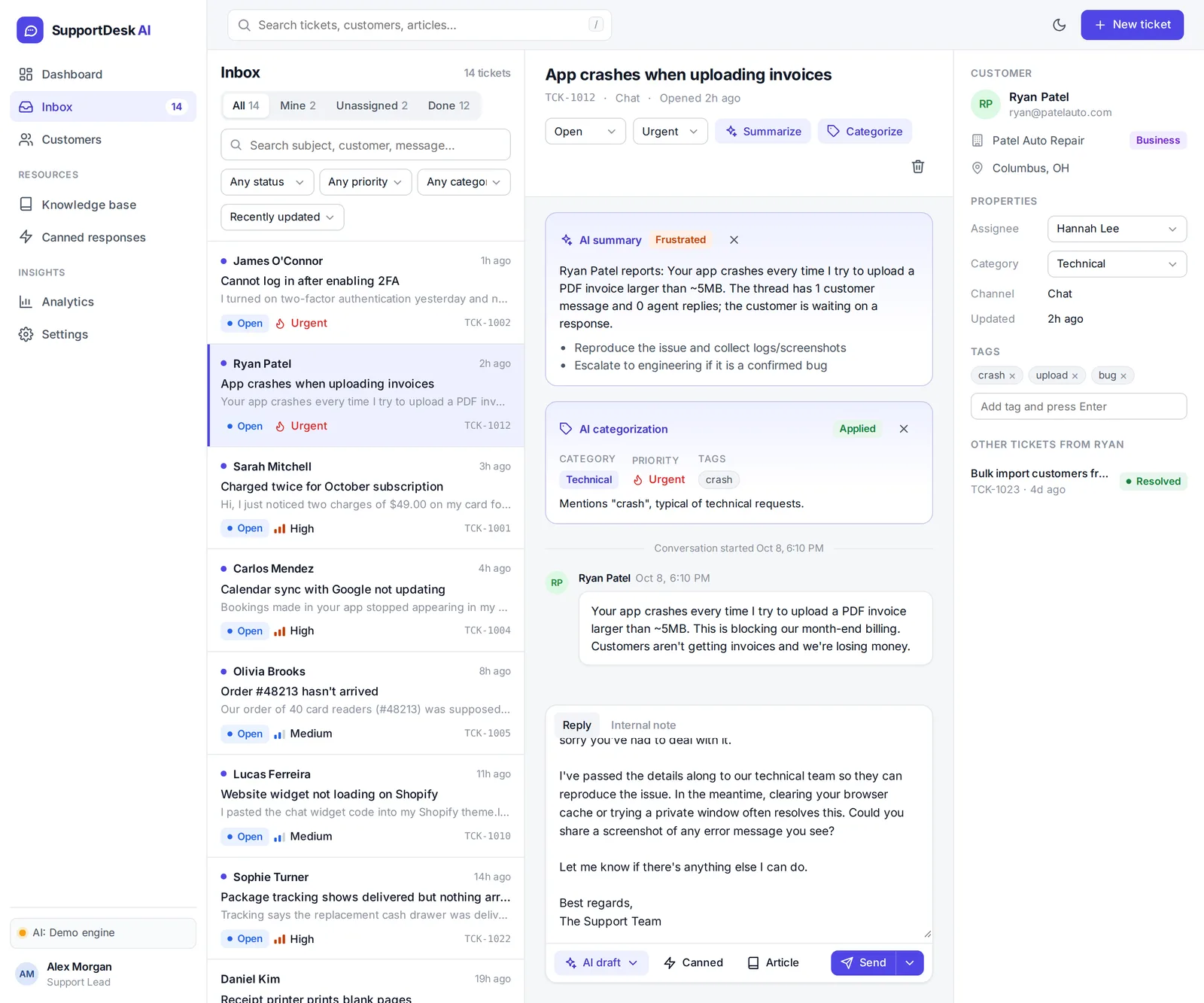
Draft a reply in a friendly, formal or empathetic tone, using your knowledge base articles as context. Review it, edit it, then send.
AI helpdesk app · full source code
SupportDesk AI is a ready-to-run helpdesk for small businesses. Log every request as a ticket, and let AI summarize it, sort it and draft a reply from your own help articles. Pay once and get the complete source code.
When requests arrive by email, chat and phone, they end up in different places. Someone has to read each one, work out how urgent it is, find the right answer and write it up, often for a question you've answered many times before.
Every feature below is in the app today. Try each one in the live demo.
Draft a reply in a friendly, formal or empathetic tone, using your knowledge base articles as context. Review it, edit it, then send.
Get a 2–3 sentence summary of any thread, the customer's mood and suggested next steps, without reading the whole history.
New tickets get a suggested category, priority and tags automatically. Apply the suggestion with one click.
All, Mine, Unassigned and Done views, with search, filters and sorting. Tickets have status, priority, assignee, tags and internal notes.
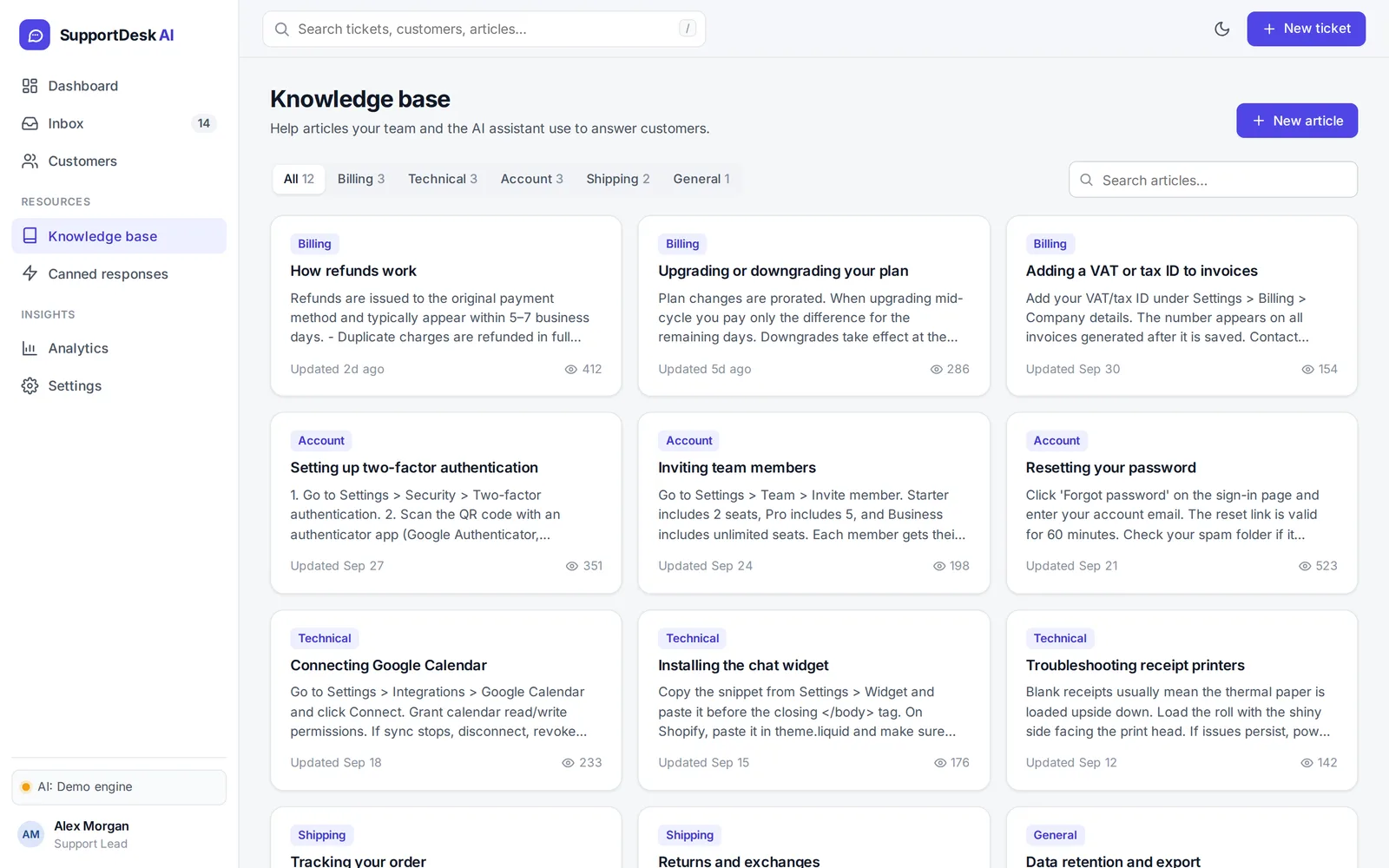
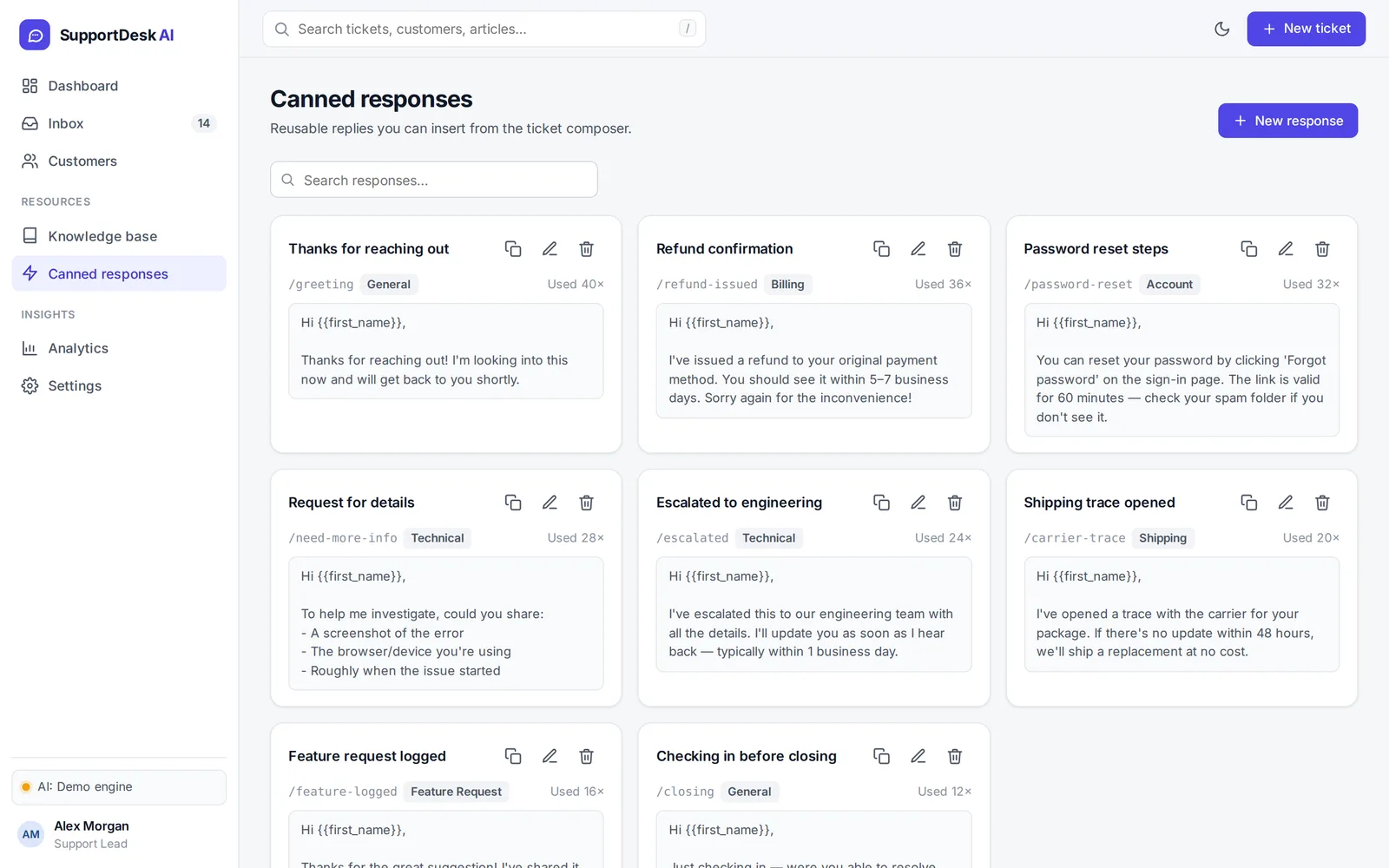
Write help articles once and reuse them. Canned responses fill in {{first_name}} and insert straight from the composer.
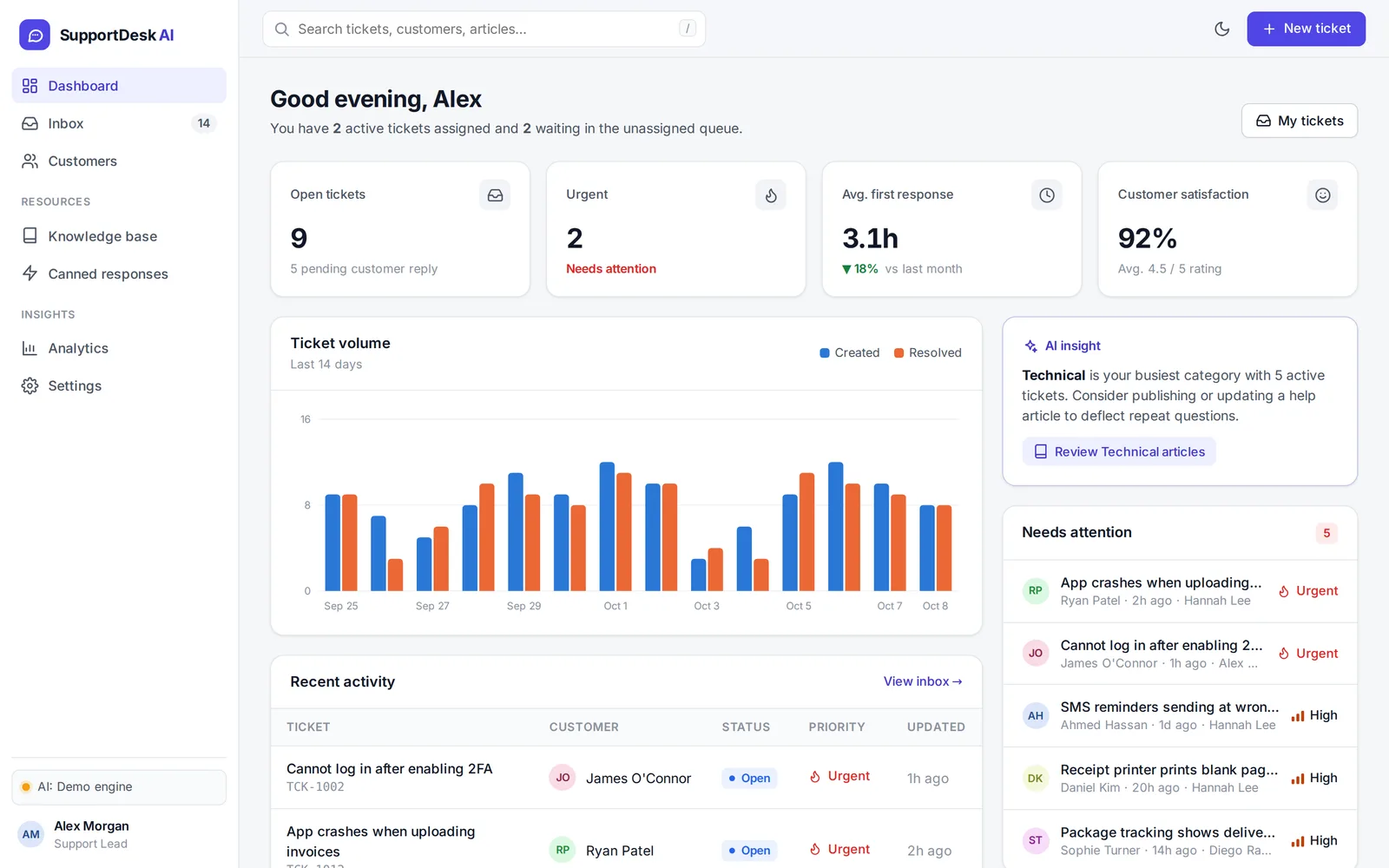
Customer profiles with ticket history and private notes. Created vs. resolved trends, breakdowns by category and channel, and team performance.
Also included: a dashboard with tickets that need attention, global search (press /), light and dark mode, and a phone-friendly layout.
These are screenshots of SupportDesk AI with demo data. The live demo runs in your browser: open a ticket, click Summarize and draft a reply before you buy.
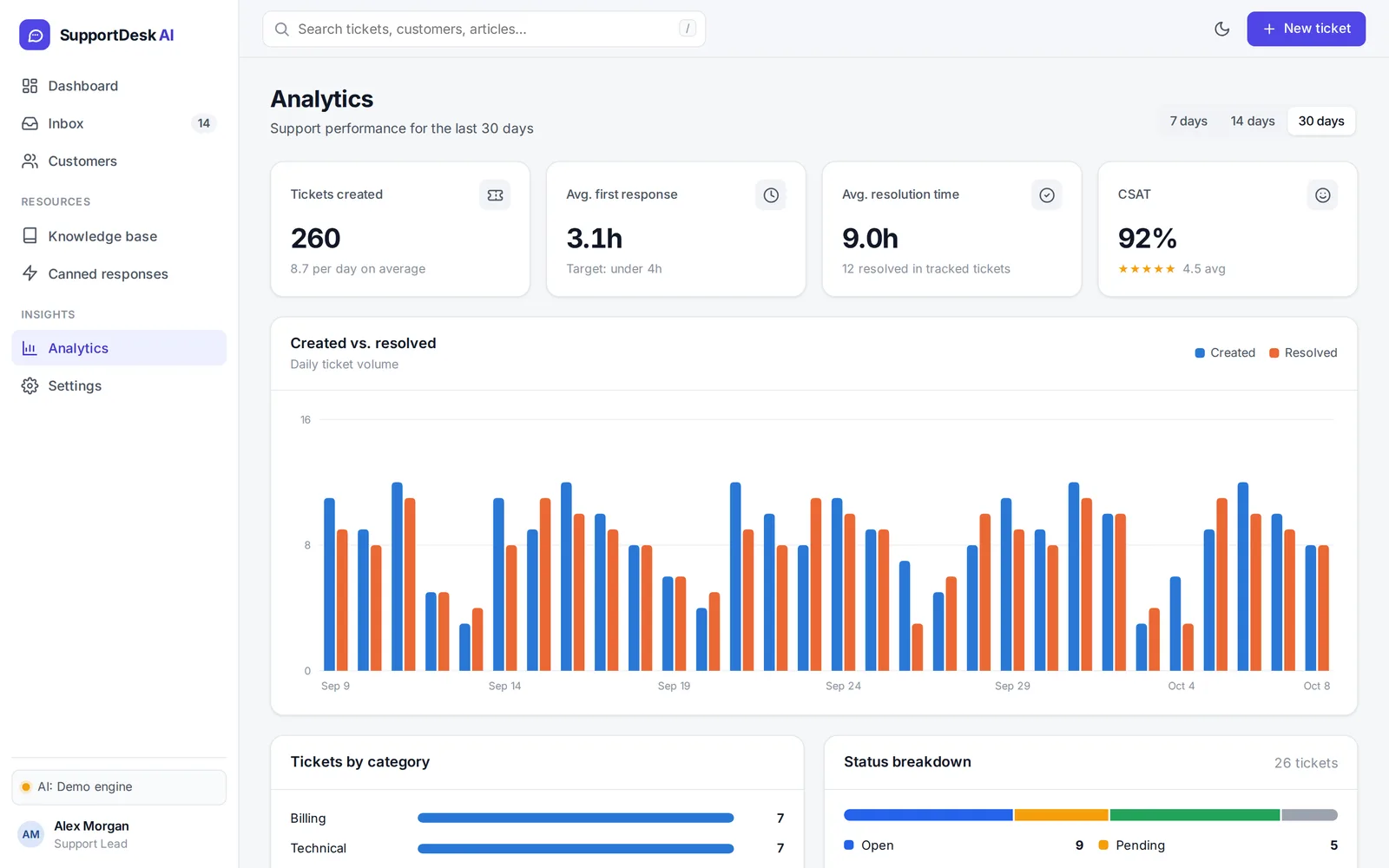
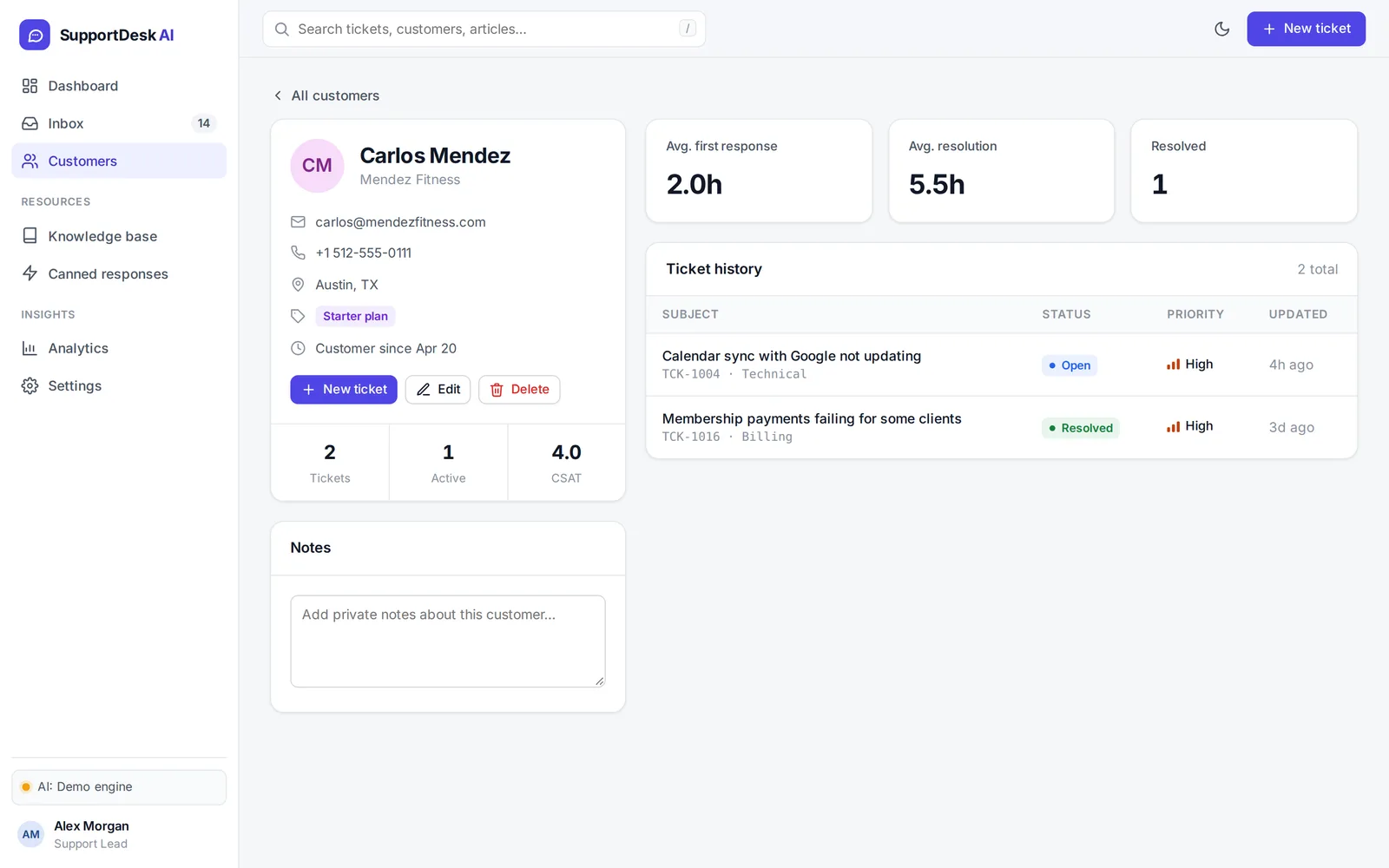
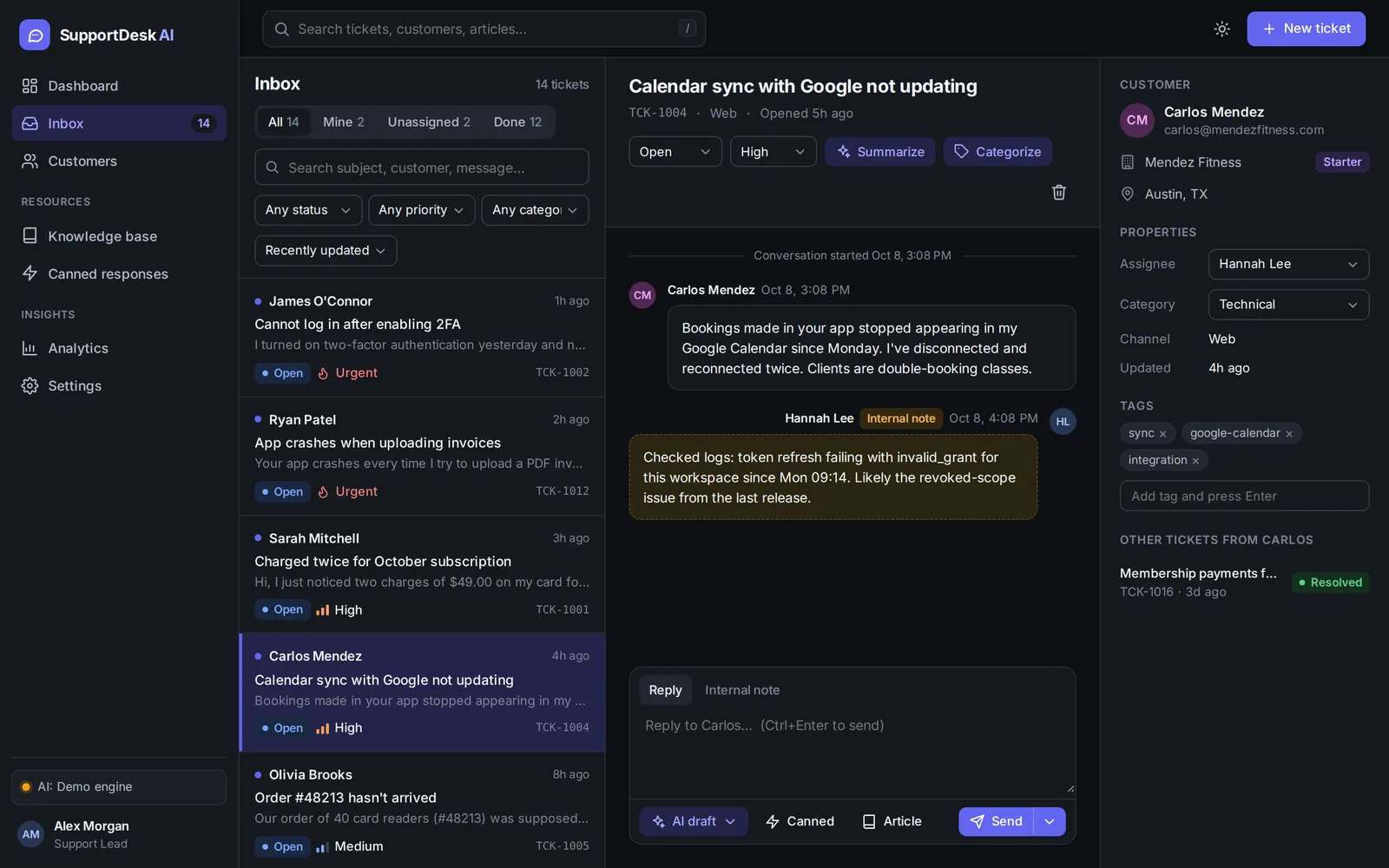
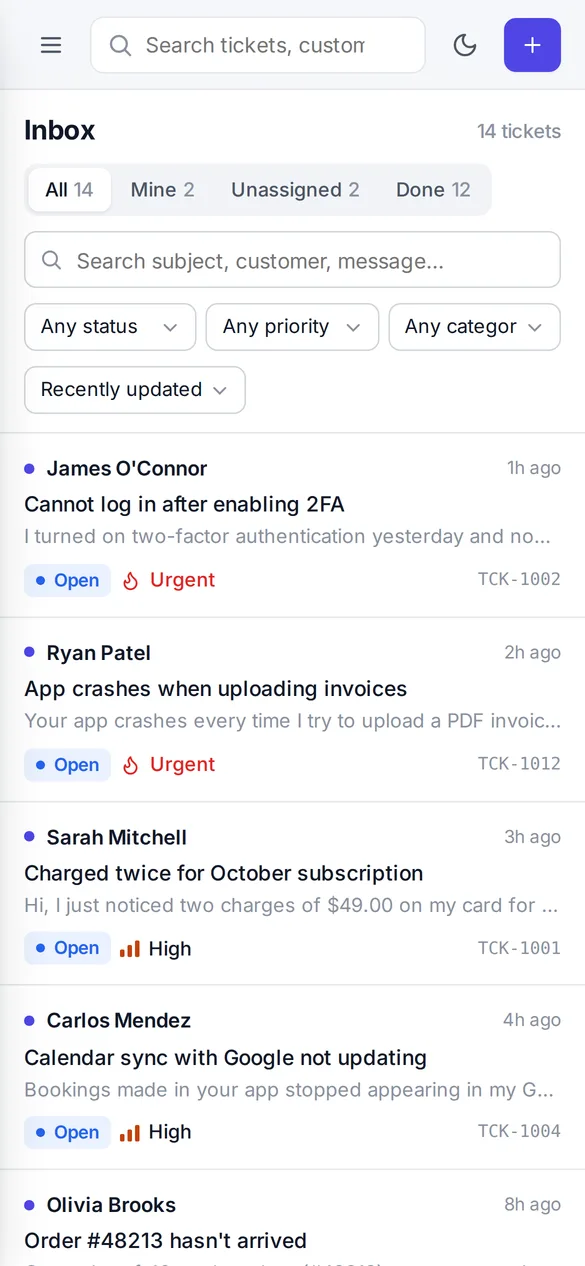
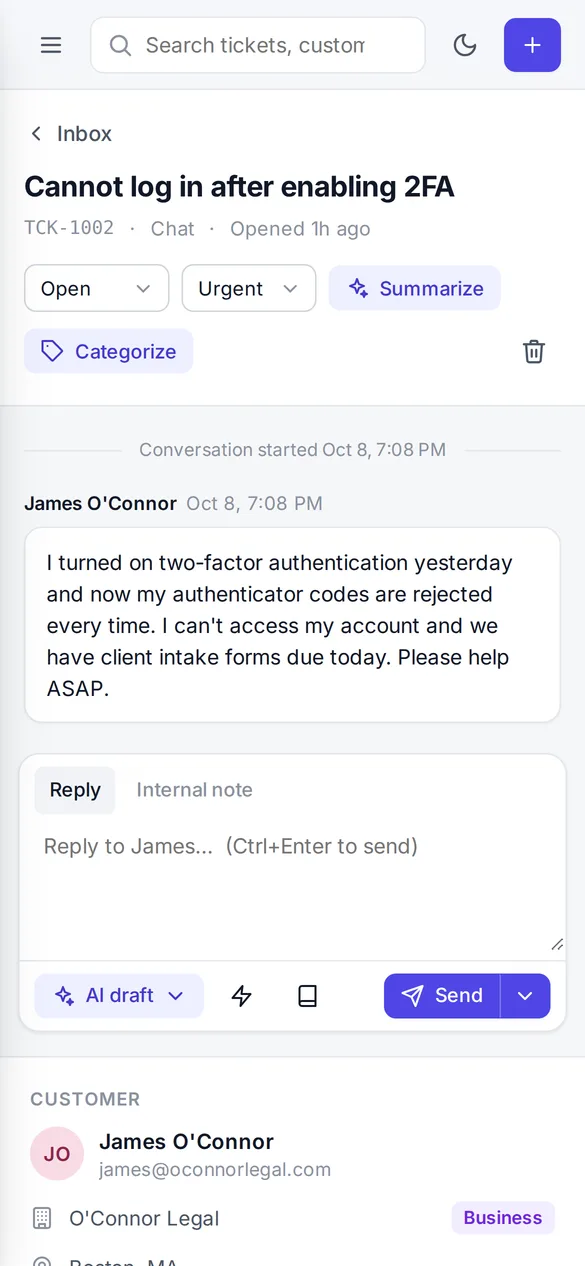
Works on phones and tablets too, so you can reply from anywhere.
Add each email, chat or phone request as a ticket. AI suggests its category, priority and tags as soon as it's created.
Click Summarize for the key points, the customer's mood and next steps. Assign it to a teammate or add an internal note.
Pick a tone and let AI draft the answer from your help articles, or insert a canned reply. Review it, then send and resolve in one step.
Shops, studios and service businesses that want one organized place for customer questions instead of a crowded email inbox.
Stores and SaaS products that get the same billing, account and shipping questions over and over.
Small teams that want their own helpdesk without per-seat fees, and developers building one for a client.
You'll need to be comfortable running two commands (npm install and npm start) or deploying a folder to Netlify. The README walks you through both.
One ZIP download with everything needed to run, deploy and customize the app.
$49 one-time
Full source code and license. No subscription, no per-seat fees.
Get SupportDesk AI · $49Secure checkout on Gumroad. Instant download.
The demo is the same app you download. Every image on this page is a real screenshot.
No account and no lock-in. Read it, change it, rebrand it and host it wherever you like.
An independent builder making practical AI software. See the other products at jealabs.netlify.app.
The complete source code of the SupportDesk AI helpdesk app as a ZIP file, with a README and a license. It's software you run yourself, not a hosted subscription.
Small and online businesses that want one place to manage customer requests, small support teams, and developers who want a polished starting point for a helpdesk or client project.
Unzip it, run npm install and npm start (Node.js 18 or newer), then open localhost:3000. It opens with demo data so you can try everything straight away. To put it online, deploy to Netlify with one command, or use any Node host. The README covers each option.
No. Without a key, a built-in offline engine powers the AI features; that's what the live demo uses. To use Claude, add your own Anthropic API key. Anthropic bills that usage to your account directly.
No. You add requests as tickets, and replies are saved on the ticket. It doesn't import or send email, so you send the reply through your usual channel.
In each user's browser (localStorage). There are no user accounts or shared database yet, so data isn't shared between devices or teammates. That makes it a great starter or demo; add a database and login before using it with real customers. The README shows where a backend plugs in.
Yes. Each purchase covers your own business or one client project. You can modify and rebrand it, but you can't resell or share the source code as a template.
A one-time payment of $49 through Gumroad's secure checkout. You get the download right after purchase. There's no subscription.
Get the full SupportDesk AI app and source code for a one-time $49.